What's new
What has changed lately, and where to find it.
FoodMind ships one to two TestFlight builds most weeks. These are the changes worth knowing about.
Bring in a recipe from ChatGPT, Claude, or whatever you use
Plenty of cooking now starts in a chat window — you work a dish out with an AI, adjust it twice, and end up with a recipe buried in a conversation. FoodMind will take that conversation and keep only the recipe.
Copy the chat, paste it in, and it pulls out the ingredients and the method and leaves the back-and-forth behind. If you changed your mind halfway through, it keeps the version you settled on, not the one you abandoned. It is not tied to any one assistant — ChatGPT, Claude, Gemini, Copilot, all the same to it.
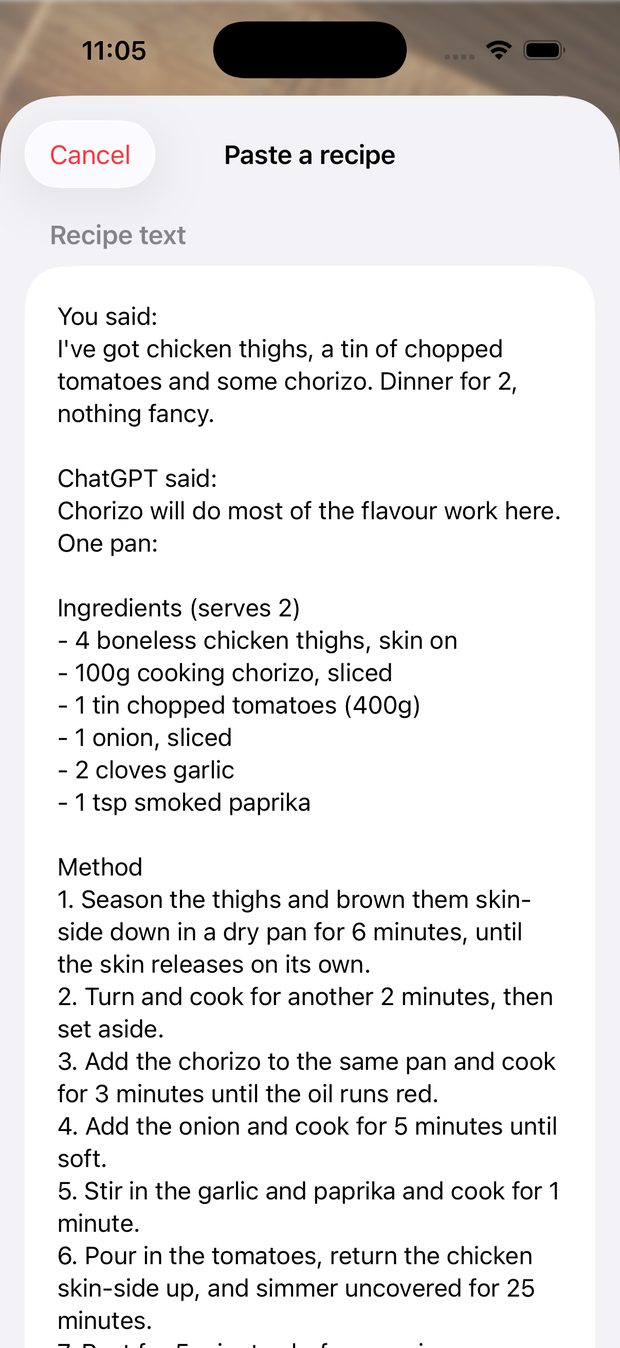
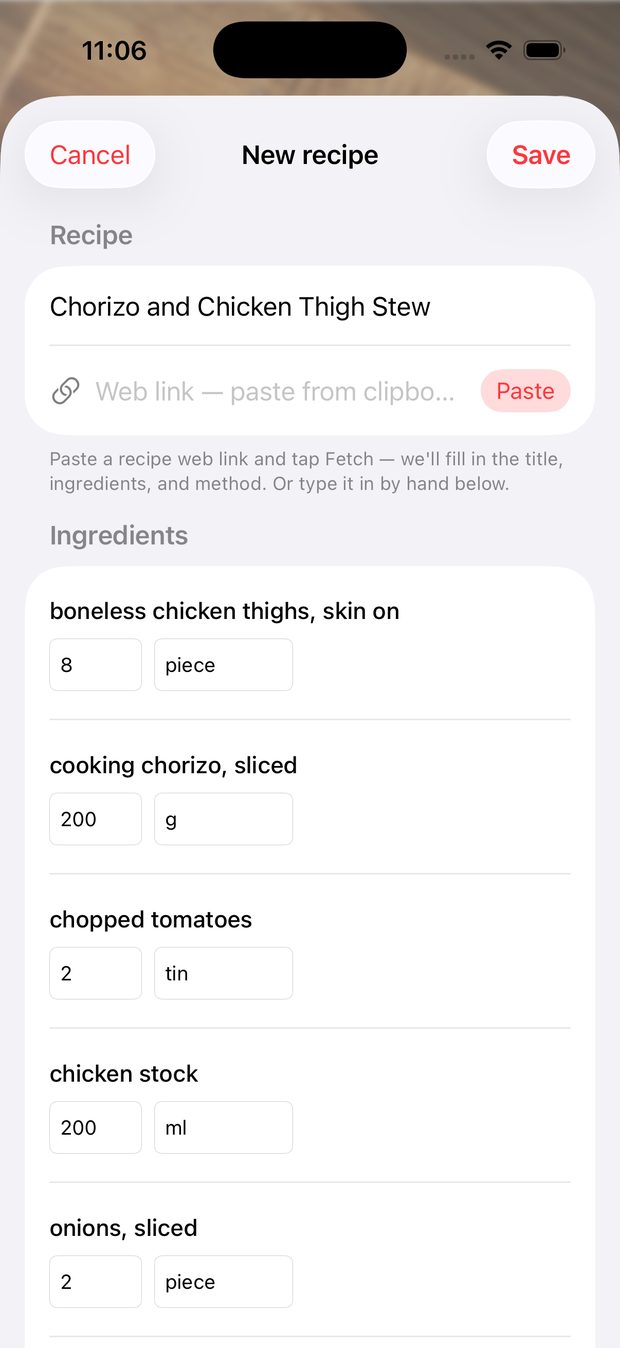
Recipes → + → Paste from ChatGPT, Claude…
Share cards carry a link home
The recipe and verdict cards you post now travel with a link back to FoodMind, so someone who likes the look of your cooking can find the thing that made the card.
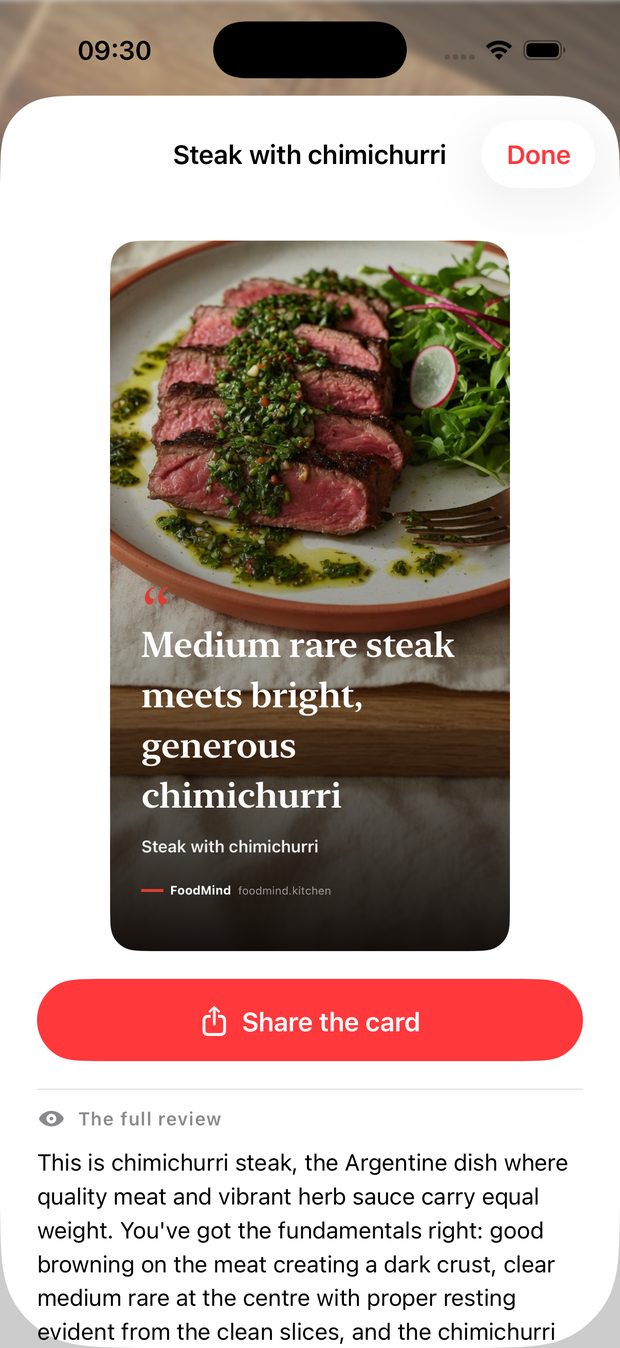
Cook mode, and timers that survive the kitchen
Cook mode follows a recipe one step at a time instead of making you re-find your place in a wall of text. Big type, one step on screen, screen stays awake.
Any step with a time in it gets a timer. Tap once to start it, pause it when the doorbell goes, and it follows you out of cook mode if you jump back to read the ingredients. Timers run against the clock rather than counting down in memory — lock the phone, leave the app, come back an hour later, and the timer is still telling the truth.
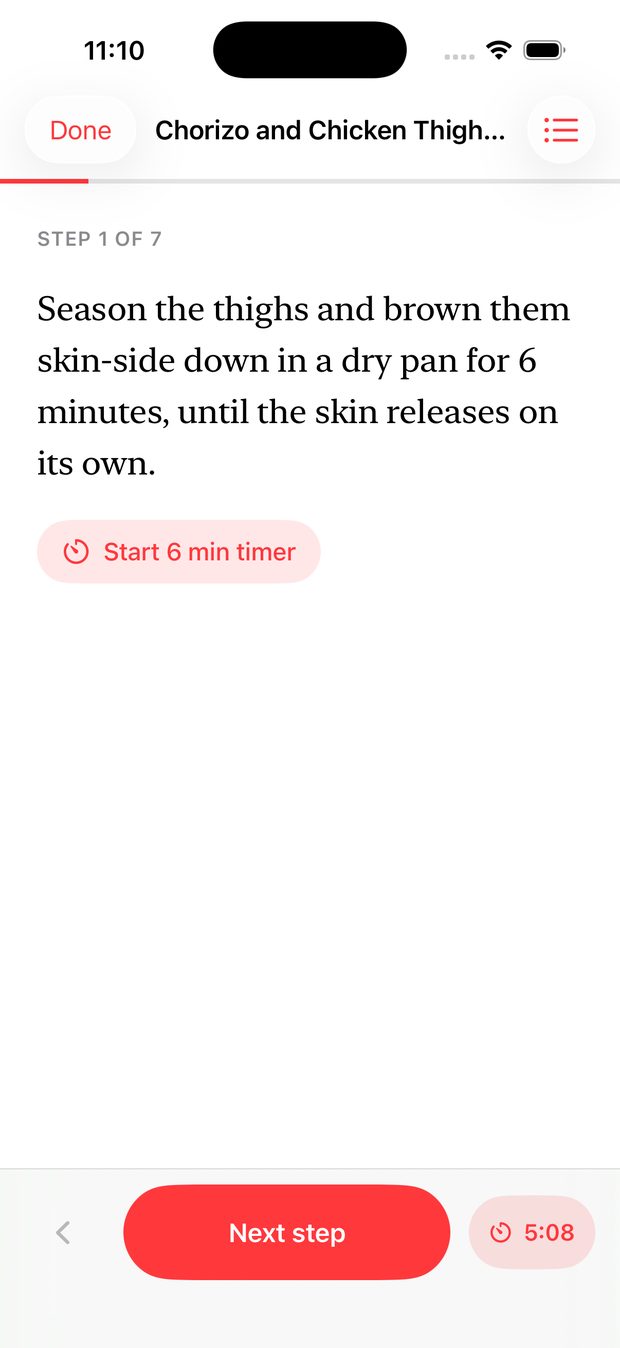
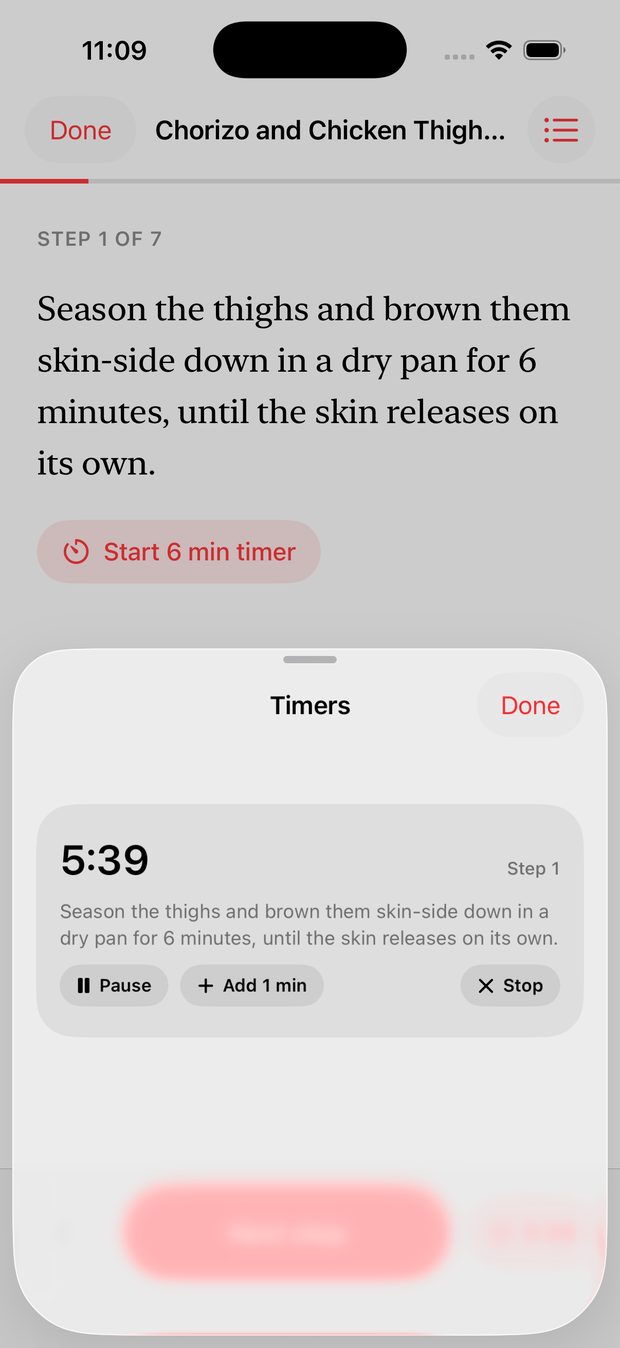
Open any recipe → Cook
Photographed recipes come back with real steps
Scan a recipe card or a page from a book and you get numbered steps with their times and temperatures intact, instead of one flattened paragraph. That is also what makes the timers possible — a step has to say “simmer for 20 minutes” before anything can offer to time it.
Where a photo genuinely has no method on it, FoodMind will suggest one from how the dish is cooked elsewhere in the corpus, and tells you plainly that it did.